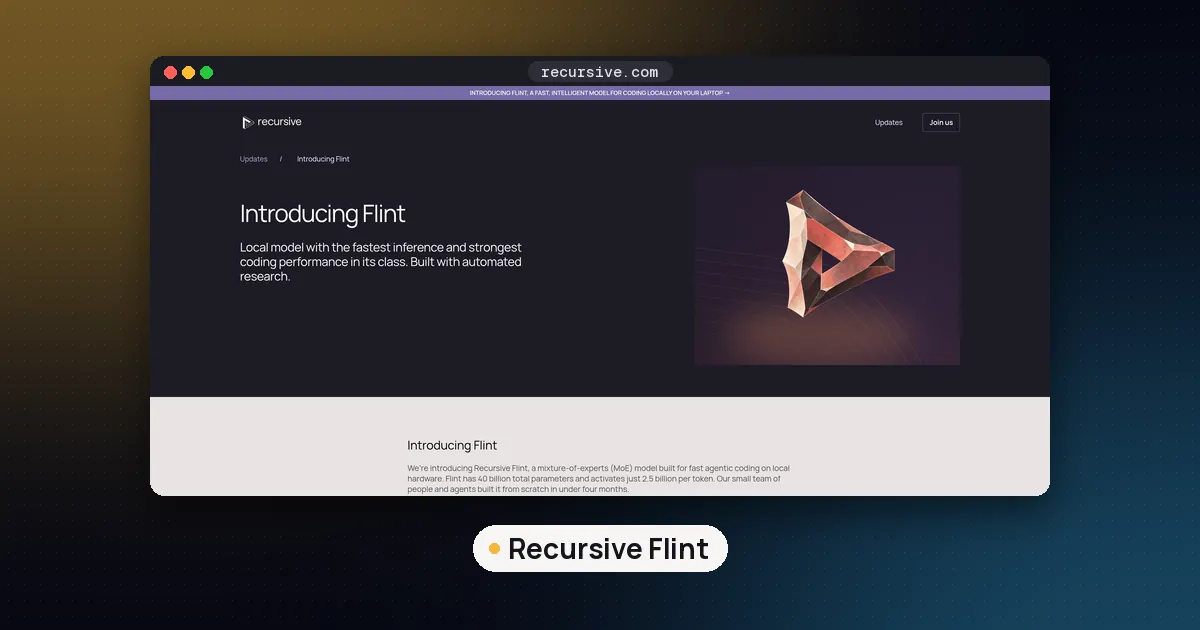
Recursive Flint is an open weight coding model released on October 21, 2026 by the startup Recursive, under the Apache 2.0 license. It is a mixture of experts model with 39.8 billion total parameters and about 2.5 billion active per token, so a 4 bit copy is roughly 23 to 26 GB and it runs on a Mac or PC with 32 GB or more of memory. The fastest way to try it is ollama run flint on Ollama 0.40.9 or newer; llama.cpp supports it from build b11803.
Flint is the newest model people are trying this week. On October 23 it sat third on the Hugging Face trending list, the official Ollama page already showed 11.2K downloads, and Google autocomplete for "recursive flint" already suggests "model", "reddit", "benchmark" and "40b". Below: what Flint is, which file to download for your hardware, the exact commands for each runtime, and where it fits next to the other local coding models we cover.
What Recursive Flint is
Recursive (the company is Recursive Superintelligence, Inc.) says a small team built Flint from scratch in under four months, with help from its automated research system called the Eureka Machine. The Flint model card describes a decoder only transformer built for coding agents: it reads a repository, fixes bugs, implements features and writes tests, with reasoning and multi turn tool calls. Input and output are text only.
| Spec | Value (from the model card) |
|---|---|
| Total parameters | 39.8B |
| Active parameters per token | About 2.5B (about 2.2B without the output head) |
| Layers | 49: 2 dense, then 47 mixture of experts layers |
| Experts | 256 routed per layer, 6 picked per token, plus 1 shared expert |
| Attention | 35 sliding window layers (513 tokens), 14 full attention layers |
| Context | 262,144 tokens, prompt plus output |
| Knowledge cutoff | June 2026 |
| License | Apache 2.0 |
The launch post adds two points. Flint can take up to 512K tokens, but Recursive recommends staying within 256K for the best results. And the NVFP4 version scores within 0.7 points of the 16 bit model on Recursive's own benchmark set, after a distillation step that taught the quantized model to match its 16 bit teacher.
Why the small active count matters: each token only touches about 2.5B parameters, so generation speed behaves like a small model while the full 40B of knowledge sits in memory. Recursive claims more than 125 tokens per second on an M4 Pro MacBook Pro and more than 150 on a 64 GB NVIDIA RTX Spark at short contexts, using its own engine. Those are vendor numbers; expect less with general runtimes.
How much memory Flint needs
You need enough RAM, VRAM or unified memory to hold the whole model, even though only a slice is active per token. These are the real file sizes on Hugging Face as of October 23:
| File | Format | Size | Good fit |
|---|---|---|---|
flint:latest (Ollama) | Ollama default | 23 GB | 32 GB Mac or PC |
flint-nvfp4.gguf | NVFP4 GGUF (official) | 22.9 GB | NVIDIA, 48 GB recommended for full context |
flint-int4 | MLX INT4 (official) | about 22.6 GB | Apple Silicon with rec |
flint-int4-q4_1.gguf | Q4_1 GGUF (official) | 26.0 GB | Apple Silicon with llama.cpp, 48 GB |
flint-UD-Q3_K_XL.gguf | Unsloth 3 bit | 18.5 GB | 24 GB setups, short context |
flint-UD-Q4_K_XL.gguf | Unsloth 4 bit | 25.1 GB | 32 GB setups |
flint-Q8_0.gguf | 8 bit | 42.3 GB | 64 GB setups |
| BF16 | Full precision | about 80 GB | One H200 or B300 with SGLang |
Unsloth's Flint guide gives total memory (RAM plus VRAM) of 13 to 15 GB at 2 bit, 16 to 20 GB at 3 bit, 26 GB at 4 bit, 38 GB at 6 bit and 44 GB at 8 bit.
Context is cheap on this model. Only the 14 full attention layers keep a cache for every token; the 35 sliding window layers keep just 513 tokens each. Using the card's figures (4 key/value heads, head size 128) and a 16 bit cache, that works out to about 28 KB per token, or roughly 7.5 GB for the full 262,144 tokens. That is our arithmetic, not a vendor figure, but it explains why the official llama.cpp commands run the whole context with an f16 cache. For more on sizing, see how much VRAM you need for an LLM and our KV cache quantization guide.
How to run Flint locally: pick a runtime
| Runtime | Platforms | Best for | Version needed |
|---|---|---|---|
| Ollama | macOS, Linux, Windows | Fastest start | 0.40.9 or newer (0.40.8 was macOS only) |
| llama.cpp | All, CUDA and Metal | Control over offload and flags | b11803 or newer |
| rec | M4 Pro, M5 Pro, M5 Max with 48 GB | Top speed on a Mac, one session | rec 0.1.0 |
| Unsloth | macOS, Linux, Windows | Desktop app plus GGUF quants | Latest |
| LM Studio | macOS, Linux, Windows | Chat UI and local server | Recent runtime with Flint support |
| SGLang | Data center GPUs | Serving many users | Official kit in the model repo |
If you are not sure how these compare in general, our Ollama vs llama.cpp vs LM Studio guide covers the tradeoffs.
Option 1: Ollama (simplest)
- Install or update Ollama. The v0.40.8 release added Flint on macOS only, and v0.40.9 (October 21) extended it to Linux and Windows.
- Run the model. The default tag downloads 23 GB:
ollama run flint- To connect a coding tool, the Ollama Flint page lists launch commands such as
ollama launch opencode --model flintandollama launch claude --model flint.
Other tags on that page include flint:40b-a2b-q4_1 (26 GB), flint:40b-a2b-qat-int4 (23 GB) and flint:40b-a2b-mlx-bf16 (80 GB, MLX). All list a 256K context window, but Ollama only loads what your memory allows: its context length docs set 4K below 24 GiB of VRAM, 32K from 24 to 48 GiB and 256K at 48 GiB or more, and suggest at least 64,000 tokens for coding tools. Set it with OLLAMA_CONTEXT_LENGTH=64000 ollama serve and check the result with ollama ps.
Option 2: llama.cpp with the official GGUF
Flint support landed in llama.cpp through pull request 30928, merged October 21 and shipped in release b11803. A companion change for hexadecimal string escapes in the chat template was merged the same day, so use b11803 or later.
On NVIDIA, Recursive's NVFP4 GGUF card gives this command (tested on B300, RTX PRO 6000 Blackwell, RTX Spark and DGX Spark):
hf download RecursiveSI/flint-nvfp4-gguf flint-nvfp4.gguf --local-dir flint-nvfp4-gguf

llama-server -m flint-nvfp4-gguf/flint-nvfp4.gguf \
  --alias flint -ngl all -c 262144 -np 1 \
  -fa on -ctk f16 -ctv f16 --jinja \
  --temp 1 --top-p 0.95 --top-k 20 --min-p 0 \
  --host 127.0.0.1 --port 8080
On a Mac, use the INT4 GGUF (flint-int4-q4_1.gguf, 26.0 GB) with the same flags plus --cache-ram 0 -b 256 -ub 128 -t 8. That card asks for at least 48 GB of unified memory. On a 24 or 32 GB machine, take a smaller Unsloth quant instead (flint-UD-Q3_K_XL.gguf or flint-UD-Q4_K_XL.gguf) and lower -c, for example to 32768. Two rules from the cards: always pass --jinja, and leave --swa-full unset so the sliding window cache stays small. If you want to understand the quant names, read GGUF quantization explained.
Your server then speaks the OpenAI API at http://127.0.0.1:8080/v1 with the model name flint.
Option 3: rec on a recent Mac
rec is Recursive's own engine. Its README says it gives 1.4 to 2.6 times the token throughput of llama.cpp on an M4 Pro, measured with 4 bit weights. The catch is the hardware list: an M4 Pro, M5 Pro or M5 Max with at least 48 GB of unified memory, about 30 GB of free disk, and Node.js 22 for the pi harness. It is built for one session at a time.
curl -fsSL https://raw.githubusercontent.com/recursive-oss/rec/main/install.sh | bash
rec doctor      # checks your hardware
rec launch pi   # or: rec launch opencode
rec serve starts only the server, with OpenAI and Anthropic compatible endpoints at http://127.0.0.1:11500 and an API key from rec auth token. Owners of an M1 to M3 Mac or a base M4 should use Ollama or llama.cpp instead. Our MLX vs GGUF on Mac guide explains the two Mac formats.
Option 4: Unsloth or LM Studio
In Unsloth, search the model hub for unsloth/flint-GGUF and pick UD-Q4_K_XL or smaller. From a terminal, unsloth run --model unsloth/flint-GGUF:UD-Q4_K_XL --alias flint --temp 1.0 --top-p 0.95 --top-k 20 serves it locally. LM Studio users can load the community lmstudio-community/flint-GGUF files (Q4_K_M at 24.2 GB, Q6_K, Q8_0).
Option 5: SGLang on a data center GPU
The main repository ships an SGLang kit. The card says Flint runs on one B300 or H200 per replica, from an 80 GB BF16 download. Transformers modeling code was not included at launch. Recursive's docs point GPU servers to SGLang or vLLM; our SGLang vs vLLM vs llama.cpp guide helps you choose.
Settings that matter
Recursive recommends temperature 1.0, top p 0.95 and top k 20, with min p at 0 in the llama.cpp examples. Give hard problems an output budget of at least 32,768 tokens, because reasoning counts against it, and the official client configs allow 65,536. Two more rules from the card: use the bundled chat template, and keep the returned reasoning_content in the conversation history when your client replays past turns. Clients that drop it can make multi turn tool use worse.
Pros and cons
Pros
- Apache 2.0, so commercial use and fine tuning are allowed with no revenue cap.
- Only about 2.5B active parameters, so it is fast for its size.
- Long context with a small cache, thanks to the sliding window layers.
- Day one support in Ollama, llama.cpp, Unsloth and LM Studio, plus official quants.
Cons
- Text only: no image input.
- Recursive says it may need more guidance than large closed coding models; split big tasks into smaller steps.
- The headline benchmark scores are Recursive's own release evaluations, not independent tests.
- rec, the fastest path, only supports three Mac chip families.
Who Flint is for
Flint suits developers who want a private coding model on a 32 GB or larger laptop or desktop, and teams that need a permissive license for internal tools. If you have 16 GB or less, a smaller model from our list of open source LLM models to run locally will be smoother. If you have a 24 GB GPU and want a dense model, compare it with Qwen 3.8 27B. To wire any local model into an editor, see how to use a local LLM in VS Code, and to adapt Flint to your own code, read how to fine tune an LLM for code generation.
FAQ
What is Recursive Flint?
Flint is an open weight coding model from Recursive, released October 21, 2026 under Apache 2.0. It has 39.8B total parameters, about 2.5B active per token, a 262,144 token context and support for reasoning and tool calls.
Can I run Flint on 16 GB or 24 GB of memory?
At 16 GB, only the 2 bit Unsloth files fit, and Unsloth lists 13 to 15 GB for them, which leaves little room for anything else. At 24 GB, the 18.5 GB UD-Q3_K_XL file fits at short contexts. For the 23 GB Ollama default, plan on 32 GB.
Is there a Flint GGUF?
Yes. Recursive publishes an NVFP4 GGUF for NVIDIA (22.9 GB) and a Q4_1 GGUF for Apple Silicon (26.0 GB). Unsloth offers 1 bit to 8 bit dynamic quants in unsloth/flint-GGUF, and LM Studio's community repo has Q4_K_M, Q6_K and Q8_0. You need llama.cpp b11803 or newer.
Does Flint work with Ollama on Windows and Linux?
Yes, from Ollama 0.40.9. Version 0.40.8 added Flint on macOS only, and the next release enabled Linux and Windows. Run ollama run flint after updating.
Is Flint free for commercial use?
The weights are under the Apache 2.0 license, which allows commercial use, changes and redistribution with attribution. Recursive notes that its hosted API has separate terms.
How fast is Flint?
Recursive reports more than 125 tokens per second on an M4 Pro MacBook Pro and more than 150 on a 64 GB RTX Spark at short contexts, using its own engine. It also says rec runs 1.4 to 2.6 times faster than llama.cpp on an M4 Pro. Expect lower speeds in other runtimes and at long contexts.