Yes, you can run DeepSeek V4.1 Flash locally, and as of this week you no longer need a server rack to do it. The cheapest working route is Strata 0.2.4, which runs a 2 bit build on one 12 GB NVIDIA card with 46 to 64 GB of RAM and about 240 to 275 GB of SSD space, at roughly 4 to 10 tokens per second. With 128 GB or more of RAM or unified memory, Unsloth's 1 bit GGUF runs in a patched llama.cpp. The full checkpoint needs data center GPUs and vLLM.
This guide covers what DeepSeek released, the real memory and disk numbers for every local format, working commands, what Ollama actually offers, and when a smaller model is the better choice.
What DeepSeek V4.1 Flash is
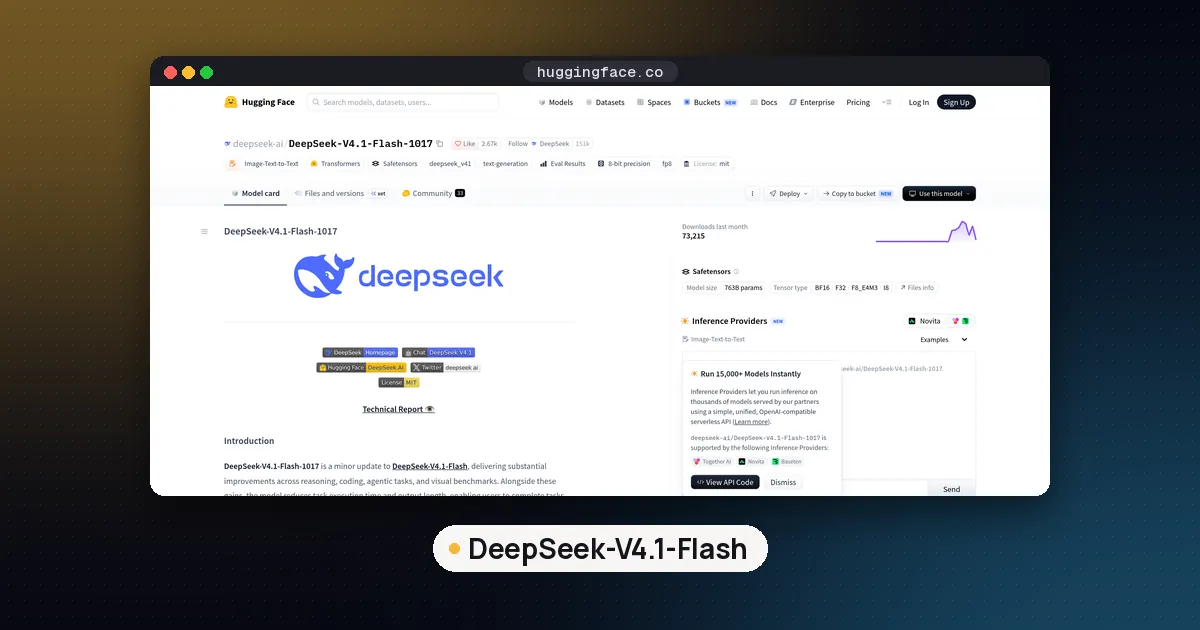
DeepSeek-V4.1-Flash-1017 is the October 17, 2026 weight update to DeepSeek V4.1 Flash, which first shipped on September 9. The model card lists the weights under the MIT License with a 1M token context window, and DeepSeek's release note says it is live on its website, app and API as well as Hugging Face and ModelScope.
The size numbers confuse people, so here is how they fit together. Hugging Face counts 763.2 billion parameters in about 510 GB of files. According to the vLLM recipe, that splits into a 552B backbone, 196.6B of Engram tables (hash lookup tables keyed on short runs of tokens) and a DSpark draft head of about 14B used for speculative decoding. Each token routes to 6 of 384 experts plus one shared expert, so only about 8B parameters are active per prompt token and 16B per generated token.
Two facts make local use possible at all:
- The Engram tables are a lookup, not a matrix multiply. Each token reads a few rows, so the tables can stay memory mapped on your SSD instead of in RAM or VRAM.
- Few experts fire per token. A runtime can keep the busiest experts in fast memory and read the rest from disk on demand.
The catch: disk speed and RAM bandwidth now set your speed, not just GPU memory.
DeepSeek V4.1 Flash local requirements
These figures come from the GGUF publishers' own model cards and guides. "Memory" means RAM plus VRAM combined (or unified memory on a Mac or DGX Spark), with the Engram table left on SSD.
| Build | Download | Memory needed | Runs in |
|---|---|---|---|
| ISTA-DASLab GSQ-RCO IQ1_M (1.75 bits) | 231 GB | 12 GB VRAM + 46 to 64 GB RAM | Strata 0.2.4 |
| ISTA-DASLab GSQ-RCO IQ2_XXS (2.00 bits) | 249 GB | 12 GB VRAM + 46 to 64 GB RAM | Strata 0.2.4 |
| ISTA-DASLab GSQ-RCO IQ2_XS (2.25 bits) | 266 GB | 12 GB VRAM + 46 to 64 GB RAM | Strata 0.2.4 |
| Unsloth UD-IQ1_S | 233.0 GB | 128 to 145 GB | llama.cpp PR, Unsloth Desktop |
| Unsloth UD-Q2_K_XL | 334.8 GB | 176 to 205 GB | llama.cpp PR, Unsloth Desktop |
| Unsloth UD-IQ3_XXS | 394.7 GB | 256 to 290 GB | llama.cpp PR, Unsloth Desktop |
| Unsloth UD-Q4_K_XL | 500.7 GB | about 305 GB | llama.cpp PR, Unsloth Desktop |
| Original FP8 and FP4 checkpoint | 510 GB | 614 GB GPU memory (vLLM minimum) | vLLM 0.31.0 or newer |
Strata's download sizes (239, 257 and 274 GB) are slightly larger than the ISTA-DASLab files because they include the DSpark drafter. The ISTA-DASLab sizes come from its GGUF model card, and the Unsloth ranges from the Unsloth run guide, which notes that context and runtime buffers can push memory higher.
Context is cheap on this model. The vLLM recipe cites DeepSeek's figure of 890 bytes of global KV cache per token, so even a 1M token prompt holds under 1 GB of global KV. Weights, not context, are your limit. Our VRAM guide explains why that is unusual.
Option 1: one 12 GB GPU with Strata
Strata is an MIT licensed local runner that first made Qwen3.8-Flash-Next fit on gaming PCs. Its 0.2.4 release, published late on October 23 (Eastern time), added DeepSeek V4.1 Flash using the three ISTA-DASLab builds. The engine keeps the experts you use most in RAM and streams the rest from SSD with direct reads.
Install and launch it from a terminal on Linux:
curl -fsSL https://github.com/Niko1221/Strata/releases/latest/download/install.sh -o install.sh && sh install.sh
strata launch
On Windows the README uses irm https://github.com/Niko1221/Strata/releases/latest/download/install.ps1 | iex. strata launch asks one question at a time, so pick DeepSeek V4.1 Flash and a size, and it downloads the files, prepares the model folder and starts an OpenAI compatible server on localhost.
Speeds Strata reports for the 2.00 bit build:
| PC | Output speed | Prompt speed |
|---|---|---|
| RTX 5070 12 GB, 64 GB RAM | about 5 tokens/s (code) | 231 tokens/s at 8K |
| RTX 3060 12 GB, 46 GB RAM | about 8 to 10 tokens/s | 149 tokens/s at 8K |
| 4x Radeon AI PRO R9700 | about 31 tokens/s, 55 to 69 with DSpark | about 505 tokens/s at 8K |
Things to know before you start:
- It is terminal only for now. The desktop app stays on 0.2.3 and gets DeepSeek later.
- Mac and Strix Halo are not supported yet. Supported cards are NVIDIA RTX 30 to 50 series and the Radeon AI PRO R9700.
- Your SSD matters. The release notes say the 12 GB cards spend most of each token waiting on the SSD and CPU, and a slow NVMe drive lowers every number.
- Pick IQ2_XS for coding and agents if you have the disk. Strata measured the smallest perplexity increase on that build (7.3 percent against 15.5 percent for IQ2_XXS).
- Update if you installed early. Versions 0.2.4.1 and 0.2.4.2 fixed DeepSeek setup bugs, so run
strata update.
Strata itself calls 4 to 8 tokens per second on 12 GB cards "usable for chat and slow for long agent runs." That is the honest framing.
Option 2: 128 GB or more with llama.cpp and Unsloth
Upstream llama.cpp does not support the deepseek41 architecture yet. Unsloth's support lives in llama.cpp PR 30817, still an open draft on October 24, so you build that branch yourself:
git clone https://github.com/ggml-org/llama.cpp
git -C llama.cpp fetch origin pull/30817/head:deepseek41
git -C llama.cpp checkout deepseek41
cmake llama.cpp -B llama.cpp/build -DBUILD_SHARED_LIBS=OFF -DGGML_CUDA=ON
cmake --build llama.cpp/build --config Release -j --target llama-cli llama-server
Set -DGGML_CUDA=OFF on a Mac (Metal is on by default) or for CPU only. Then download one quant with the Hugging Face Hub CLI and run it with the Engram table memory mapped:
hf download unsloth/DeepSeek-V4.1-Flash-1017-GGUF --include "*UD-IQ1_S*" --local-dir dsv41
./llama.cpp/build/bin/llama-cli -m dsv41/UD-IQ1_S/DeepSeek-V4.1-Flash-1017-UD-IQ1_S-00001-of-00005.gguf \
  --temp 1.0 --top-p 1.0 --top-k 0 --min-p 0.0 --load-mode mmap --lazy-mode on
Keep every shard in one folder and point -m at the first one. If you prefer a GUI, Unsloth Desktop downloads the same files and picks offload settings for you.
Which quant? Unsloth measured top 1 agreement with the original model on its long17k test set: 85.1 percent for UD-IQ1_S, 88.2 percent for UD-IQ1_M, 93.3 percent for UD-Q2_K_XL and 98.5 percent for UD-Q4_K_XL. A 1 bit build is a real model, but it is noticeably less faithful than 3 or 4 bit. Our GGUF quantization guide explains these quant names.
Note that the ISTA-DASLab files do not load in this branch: their card says the PR stores the Engram tables inside the model GGUF, while their builds keep Engram in a separate file.
Option 3: full weights with vLLM
For the unquantized checkpoint, vLLM 0.31.0 or newer is the supported path. The recipe's minimum is 614 GB of GPU memory, which fits one GB200 NVL4 tray or one 8 GPU H200 node. The key flags are --tokenizer-mode deepseek_v41, which supplies the prompt encoder because DeepSeek ships no Jinja chat template, and --engram-config '{"cpu_offload":true}', which moves the Engram tables to host memory. If you are choosing between serving engines, see vLLM vs llama.cpp. DeepSeek's own engine is covered in What Is DeepInfer?.
Does Ollama run it?
Not locally. On October 24 the Ollama library lists only deepseek-v4.1-flash:cloud and deepseek-v4.1-flash:1017-cloud. Those tags send prompts to Ollama's servers. For DeepSeek models that do run in Ollama on a normal PC, use our DeepSeek with Ollama guide.
Settings that matter
- Sampling: DeepSeek's card recommends temperature 1.0 and top_p 1.0, with room for at least 256K output tokens on long jobs.
- Reasoning effort: thinking takes an effort level from 1 to 100, but the word labels differ by runtime. vLLM maps
highto 50 while Unsloth's template maps it to 75, so pass a number. Strata caps thinking at 32,768 tokens unless your request sets a budget. - Speculative decoding: DSpark drafts several tokens per step. Unsloth reports 1.3 to 1.5 times faster decoding with its 8 GB drafter, while Strata found no gain on CPU bound PCs. Our speculative decoding guide explains why.
Pros and cons
Pros
- MIT licence, so commercial use is allowed.
- A 1M token context with a tiny KV cache.
- Runs on one 12 GB GPU through Strata.
- Image input, plus tool calls and a reasoning effort setting.
Cons
- 230 GB or more of SSD space for even the smallest build.
- Single digit token speeds on consumer cards make long agent loops slow.
- Local support is days old: a draft llama.cpp PR and a fresh Strata release.
- Quality drops at 1 and 2 bits, and the tool chains disagree on reasoning effort labels.
Who it's for
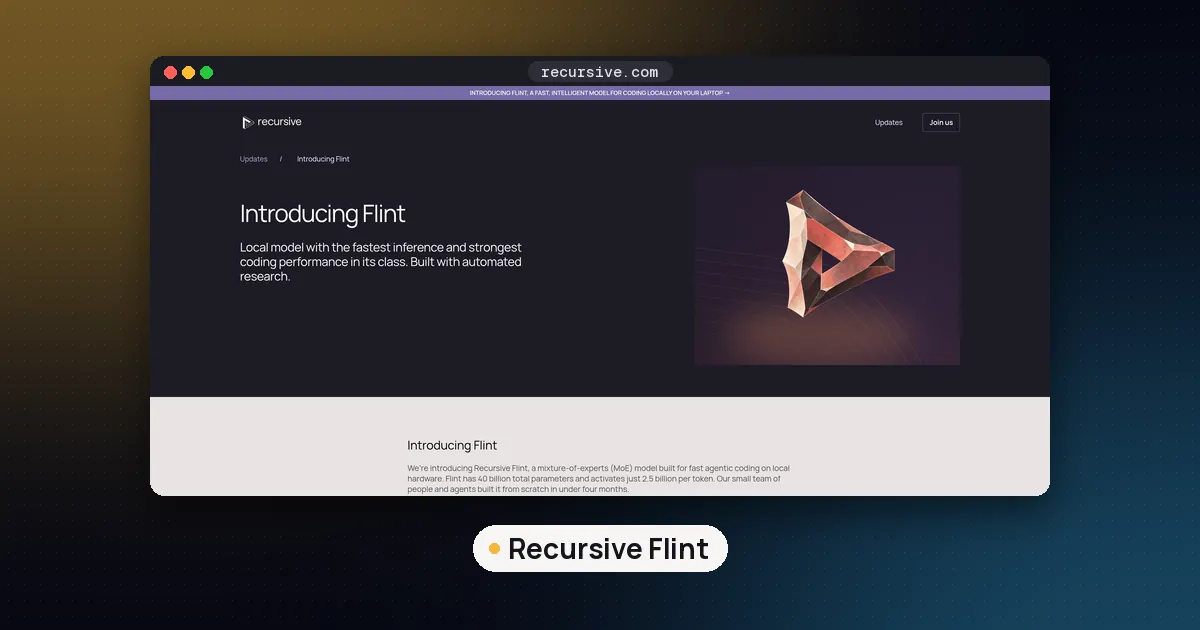
Run it locally if you want the strongest MIT licensed model on hardware you control and you can accept slow output, or if you already own a 128 GB Mac, a DGX Spark or a big RAM workstation. If you want fast local answers on a normal GPU, a smaller model is the better tool: Recursive Flint for coding or Qwen 3.8 27B for general work. For other giant open models, compare Muse Spark Open, which needs far more memory.
FAQ
Can I run DeepSeek V4.1 Flash locally?
Yes. Strata 0.2.4 runs 1.75 to 2.25 bit builds on one 12 GB NVIDIA RTX 30 to 50 card with 46 to 64 GB of RAM and about 240 to 275 GB of SSD. With 128 GB or more of RAM or unified memory you can run Unsloth's 1 bit GGUF in the llama.cpp PR branch.
How much RAM do I need for DeepSeek V4.1 Flash?
For Strata, 46 GB worked on an RTX 3060 and 64 GB is its tested comfortable size. For Unsloth GGUFs, plan on 128 to 145 GB for 1 bit, 176 to 205 GB for 2 bit and 256 to 290 GB for 3 bit, counting RAM and VRAM together.
Does DeepSeek V4.1 Flash run on a DGX Spark or Mac?
Unsloth says its 1 bit UD-IQ1_S build works on 128 GB machines such as a MacBook or a DGX Spark, and that 3 bit fits a 256 GB Mac Studio, using the llama.cpp PR branch. Strata does not support the Mac yet. For Spark serving engines, see our SGLang vs vLLM on DGX Spark guide.
Is there an Ollama version of DeepSeek V4.1 Flash?
Only cloud tags so far. deepseek-v4.1-flash:cloud and deepseek-v4.1-flash:1017-cloud run on Ollama's servers, so your prompts leave your machine.
Which DeepSeek V4.1 Flash GGUF should I download?
On a 12 GB GPU with Strata, take ISTA-DASLab IQ2_XS if you have 274 GB free, or IQ2_XXS if disk is tight. With 128 to 200 GB of memory, Unsloth UD-IQ1_M or UD-Q2_K_XL. With 256 GB or more, UD-IQ3_XXS gets much closer to the original.
Is DeepSeek V4.1 Flash free for commercial use?
The weights are MIT licensed, per DeepSeek's model card, so commercial use is allowed under that licence's terms. The GGUF builds from Unsloth and ISTA-DASLab inherit the same licence.