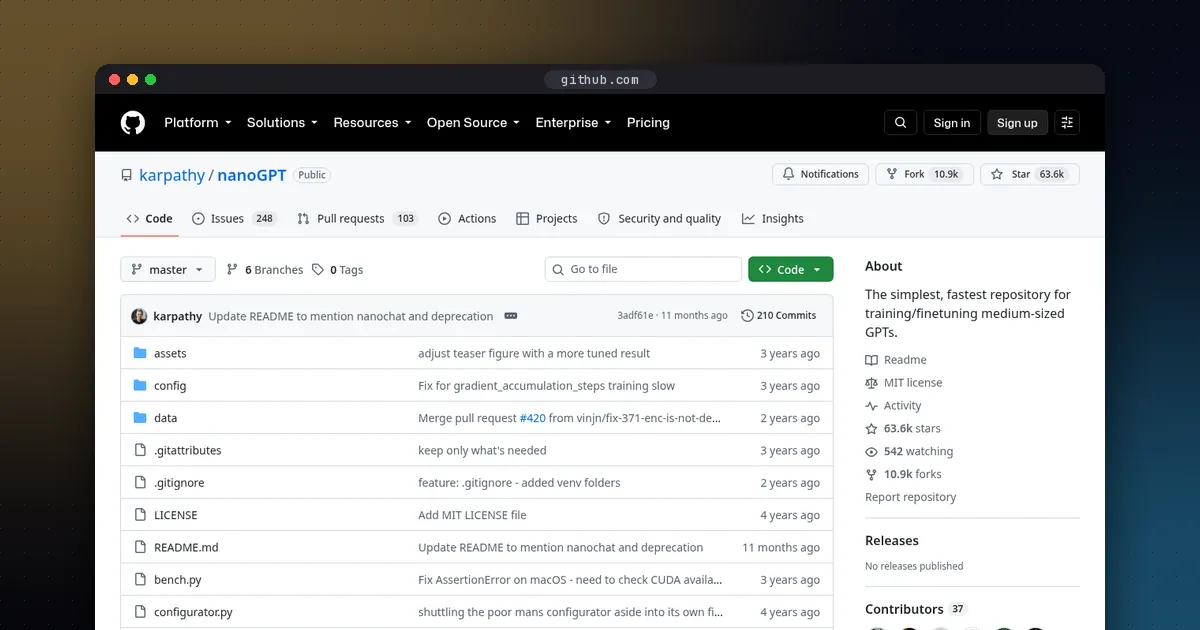
To train a small LLM from scratch, pick a tiny transformer, from a few million to a few hundred million parameters, feed it a clean dataset such as TinyStories or a sample of FineWeb-Edu, and run a simple training script like Andrej Karpathy's nanochat. A model under 10 million parameters trained on TinyStories can learn to write fluent children's stories on a single consumer GPU, or slowly on a Mac. A GPT-2-class model with general knowledge is a bigger job: nanochat's reference run takes about two hours on a rented server with eight H100 GPUs, and its README says the latest speedrun is down to about 1.5 hours. Training from scratch is a superb way to learn how language models work, but if you want a useful assistant for a task, fine tuning an existing model is almost always the better choice. Once it trains, you can study what it learned with mechanistic interpretability tools.
What is Megatron-LM? Megatron-LM is NVIDIA's open source (Apache 2.0) codebase for pretraining transformer models with billions of parameters across many NVIDIA GPUs, built on the Megatron Core library. Use it when one GPU or one simple script is no longer enough; for a first small model, nanochat is the better start. The Megatron section below covers versions, install and how it compares with DeepSpeed.
Should you train from scratch at all?
| Goal | Best approach |
|---|---|
| Learn how LLMs really work | Train a small model from scratch |
| Research on architectures, optimisers or data | Train small models from scratch and compare |
| A model that follows instructions for your business | Fine tune an open weight model |
| A model for an unusual language or domain with lots of data | Consider continued pretraining of an existing model first |
The reason is cost. Modern small models are trained on enormous amounts of text: Hugging Face's SmolLM3, a 3 billion parameter model, was trained on 11 trillion tokens, according to its GitHub repository. You will not match that at home, and you do not need to in order to learn.
The three sizes that make sense
1. A tiny story model (laptop or single GPU)
The TinyStories paper showed that models with fewer than 10 million parameters, trained on a synthetic dataset of simple short stories, can produce fluent, consistent stories with nearly perfect grammar. The dataset is free on Hugging Face under a CDLA-Sharing licence. This is the best first project: quick to train, and you can see the model improve.
2. A GPT-1 or GPT-2 small sized model (one good GPU, or a short cloud rental)
Models from about 100 to 200 million parameters trained on a few billion tokens of filtered web text start to produce plausible general English. FineWeb-Edu publishes ready made random samples of about 10, 100 and 350 billion tokens, so you can download the 10 billion token sample instead of the full 1.3 trillion.
3. A GPT-2-grade chat model (an eight GPU node for a few hours)
This is nanochat's target: a model that beats the original GPT-2's score on the DCLM CORE benchmark, then goes through fine tuning so you can chat with it. Its README describes the cost at around 48 dollars at about 3 dollars per GPU hour, and closer to 15 dollars on a spot instance, against roughly 43,000 dollars to train GPT-2 in 2019. Rental prices vary, so check your provider.
nanochat vs nanoGPT
nanoGPT was the go to repository for years, but its README now says it is old and deprecated, and points to its successor. nanochat covers the whole pipeline in one small codebase: training a tokenizer, pretraining, fine tuning, evaluation, and a chat interface. Its design has a single main dial, the depth of the transformer, which sets the width, learning rates and training length automatically so the model comes out compute optimal.
Useful details from the nanochat README:
- It runs on a single GPU by dropping
torchrun; results are nearly identical but take about eight times longer. - On GPUs with less than 80 GB, lower the
--device-batch-sizesetting until it fits. - A
runcpu.shscript trains a heavily shrunk model on a CPU or Apple Silicon in a few tens of minutes, though the results are weak. - It is mostly plain PyTorch, so other accelerators may work, with some rough edges.
For a full comparison of open corpora (FineWeb-Edu, DCLM, Nemotron-CC, Dolma and more), see our guide to the best LLM pretraining datasets. For context on data: the FineWeb dataset card says FineWeb is cleaned and deduplicated English web text from Common Crawl dumps since 2013, released under ODC By. For image and text pairs, the nonprofit LAION publishes open multimodal datasets and tools.
When to use Megatron-LM instead
nanochat is built to teach. When you need to pretrain a model with billions of parameters across many GPUs, the usual open source choice is NVIDIA's Megatron-LM repository. Its README describes two parts: Megatron-LM, a reference with ready training scripts for research and learning distributed training, and Megatron Core, a composable library of GPU optimized building blocks for custom training frameworks.
Facts from the README and PyPI, rechecked October 22, 2026:
- Megatron Core supports tensor, pipeline, data, expert and context parallelism (TP, PP, DP, EP and CP), with FP16, BF16, FP8 and FP4 mixed precision.
- The latest stable
megatron-coreon PyPI is still 0.19.2, uploaded September 18, 2026, and it needs Python 3.12 or newer. Install it withuv pip install megatron-core, or clone the repository for the training scripts. The newest GitHub tags are the 26.09 release candidates from October 13, 2026. - The README reports up to 47% model FLOP utilization on H100 clusters and a 462B parameter benchmark run on 6,144 H100 GPUs. These are NVIDIA's own numbers, measured without training to convergence.
- Mixture of experts training is a major focus: a March 2026 technical report on MoE training with Megatron Core and the community MoE Model Zoo linked from the README, with configs for DeepSeek-V3, Mixtral and Qwen3.
- The project's origin is the 2019 Megatron-LM paper by Shoeybi and colleagues at NVIDIA, which introduced the tensor (intra layer) model parallelism that splits each transformer layer across GPUs.
- AMD maintains a ROCm fork at ROCm/Megatron-LM for Instinct GPUs, updated in October 2026; the NVIDIA repository itself targets NVIDIA GPUs.
- The companion Megatron Bridge converts checkpoints both ways between Hugging Face and Megatron formats.
- Recent README news covers initial DeepSeek V4 support (May 2026) and Muon optimizer support (April 2026).
Megatron-LM is NVIDIA GPU software and assumes a cluster, so it is overkill below a few hundred million parameters. For a mid point, Microsoft's DeepSpeed (v0.19.8, October 20, 2026) adds ZeRO memory sharding to ordinary PyTorch code. To see how weights, gradients and optimizer state add up, our VRAM guide explains the inference side of the same arithmetic. For fine tuning an existing model instead, see how to fine tune an LLM locally, and for how frameworks compare, our best ML frameworks for Python guide.
How much compute do you need?
A widely used rule of thumb from OpenAI's scaling laws paper is that training costs about 6 × parameters × tokens floating point operations. DeepMind's Chinchilla paper found that, for a fixed budget, model size and training tokens should grow together; its 70 billion parameter Chinchilla model was trained on 1.4 trillion tokens, about 20 tokens per parameter.
Worked example: a 124 million parameter model trained on 2.5 billion tokens, roughly 20 tokens per parameter, needs about 6 × 124 million × 2.5 billion, or roughly 1.9 × 10 to the 18th operations. If your GPU sustains an effective 50 trillion operations per second during training, which is an assumption you should replace with your own measurement, that is about 10 to 11 hours. Halve the effective speed and the time doubles. Small models are often trained on far more than 20 tokens per parameter today, because a smaller, longer trained model is cheaper to run afterwards.
Memory is rarely the problem at this scale. Training needs memory for the weights, the gradients, and the optimiser state, which for the common AdamW optimiser is two extra values per parameter, plus activations. A 124 million parameter model fits easily on a 12 to 24 GB GPU with a modest batch size.
Step by step
- Set up. Install PyTorch with GPU support, then clone nanochat and install its dependencies with
uv, as its README describes. - Pick data. Start with TinyStories for a story model, or a FineWeb-Edu sample from FineWeb for general text. Load either with Hugging Face Datasets.
- Tokenize. Train or reuse a byte pair encoding tokenizer. A smaller vocabulary keeps tiny models efficient.
- Choose a size. For a first run, 6 to 12 layers is plenty. nanochat's author suggests a 12 layer model for quick five minute experiments on an eight GPU node, which means much longer on one GPU.
- Train and watch the loss. Log validation loss with a tool like Weights & Biases. If validation loss stops falling while training loss keeps dropping, you are overfitting or out of data.
- Sample often. Generate text every few hundred steps; watching gibberish turn into sentences is the fun part.
- Fine tune for chat (optional). nanochat includes supervised fine tuning and a reinforcement learning stage; our GRPO vs PPO guide explains the RL methods used for that step.
- Run it elsewhere (optional). Small custom architectures may not convert to GGUF, so expect to run them with the training code itself.
Common mistakes
- Too little data for the model size. A big model on a small dataset just memorises it.
- Judging too early. Loss curves are noisy; compare runs at the same number of tokens.
- Changing many things at once. Change one setting per run and compare against a baseline.
- Skipping evaluation. Keep a held out validation set from the start.
Pros and cons of training from scratch
- Pros: deep understanding of every stage; full control over data and architecture; a fully open model you can describe completely, as our open weight vs open source guide discusses, in the spirit of OLMo, which publishes its data and training code.
- Cons: small home trained models are far weaker than released open weight models; serious runs need rented GPUs; data preparation takes real effort.
Who this is for
Students, engineers and researchers who want to understand language models by building one, and anyone testing ideas about architectures, optimisers or data at small scale. If you are choosing a framework first, read PyTorch vs JAX. For how TensorFlow and Keras 3 fit beside those two in 2026, see TensorFlow vs PyTorch vs Keras.
FAQ
What is Megatron-LM?
Megatron-LM is NVIDIA's open source codebase for training transformer models at scale. It bundles training scripts with Megatron Core, a library for splitting a model across many GPUs with tensor, pipeline, data, expert and context parallelism. It suits pretraining large models on NVIDIA clusters, not small single GPU experiments.
What is the difference between Megatron Core and Megatron-LM?
Megatron Core is the library: GPU optimized transformer blocks, parallelism (TP, PP, DP, EP, CP) and mixed precision, installed as the megatron-core package. Megatron-LM is the reference repository that bundles Megatron Core with ready training scripts and examples. Framework builders use Core; researchers who want a working training run usually start from Megatron-LM or Megatron Bridge recipes.
Megatron-LM vs DeepSpeed: which should I use?
DeepSpeed's ZeRO shards optimizer state, gradients and weights across data parallel GPUs and wraps an ordinary PyTorch model, so it is easier to add to existing code. Megatron Core splits the model itself with tensor, pipeline, expert and context parallelism and is tuned for large NVIDIA clusters. For a few GPUs and an existing PyTorch model, try DeepSpeed first; for pretraining tens or hundreds of billions of parameters, Megatron is the usual choice.
Can I train an LLM from scratch on my laptop?
Yes, a very small one. A model with a few million parameters trained on TinyStories is practical on a recent laptop or Mac, and nanochat includes a CPU and Apple Silicon script. Expect simple stories, not a general assistant.
How much does it cost to train a GPT-2 level model?
nanochat's README estimates about 48 dollars for its reference run, roughly two hours on an eight-H100 node at about 3 dollars per GPU hour, and less on spot instances. Prices vary by provider.
Should I train from scratch or fine tune?
Fine tune if you want a capable model for a task; it is cheaper and far stronger. Train from scratch to learn, to do research, or when you need complete control over the training data.